

Download the LogPark CIMS brochure
Get a concise overview of container inventory workflows, modules, billing, reporting, and implementation options.
Container Inventory Management Software — Powered by LogPark
LogPark is a cloud-based container inventory management software designed for shipping companies, container depots, and leasing operators. It provides complete lifecycle control over 20' and 40' containers — from gate-in acceptance to final disposal, with carrier detection for leased container workflows.
Unlike generic asset management tools, LogPark delivers container-specific workflows with 9 built-in session types. Each session automatically transitions container status, calculates costs, and maintains a full audit trail.
9 Session Types — Full Lifecycle Coverage
- Storage — gate-in acceptance, yard placement, daily storage fees
- Rent — rental agreements with automated billing and return tracking
- Transfer — inter-terminal moves with transport documentation
- Repair — M&R with defect logging, cost tracking, parallel sessions
- Sale — container sales with financial settlement
- Disposal — end-of-life decommissioning and write-off
- Loading / Unloading — cargo handling operations
- Customs Clearance — customs holds and release processing
- Washing — cleaning sessions with service fee calculation
Container Leasing and Tracking Software
Managing a container leasing fleet demands real-time visibility across rental agreements, return schedules, and outstanding invoices. LogPark’s container leasing software module delivers exactly that.
The built-in tariff engine supports multi-dimensional pricing — by service direction (outgoing, incoming, or both), laden/empty status, container size, and free-day thresholds. When a dispatcher creates a rental session, the correct container rental billing rates are applied automatically from the customer’s contract.
How Rental Billing Works
- Contract-linked tariffs — rates auto-applied per customer agreement
- Daily charge calculation with configurable free-day periods
- Invoice generation for incoming and outgoing services
- Settlement tracking — payments matched to invoices in real time
This container rental fleet software also tracks every container’s physical location through linked terminals and stock positions. The result: faster fleet turnover, fewer billing disputes, and a clear rental portfolio view.

Real-Time Container Tracking and Location Management
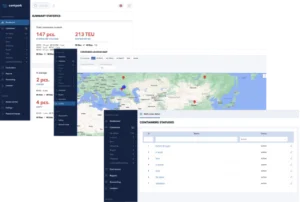
LogPark provides real-time container tracking through an integrated geolocation module. Every container is mapped to its current terminal, stock position, or transport route.
The hierarchical location model — Contractor → Terminal → Stock — enables precise container availability management across multiple depot sites. Every session records origin and destination, creating a complete movement history.
Dashboard Metrics & Analytics
The interactive dashboard displays live statistics at a glance:
- Total fleet size with 20’/40′ and TEU breakdown
- Containers in storage: loaded vs. empty split
- Active rentals, units under repair, assets in transit
- Highcharts graphs — storage and rental trends over 90-day windows
Logistics managers get the data they need for capacity planning and container fleet management decisions without delays.
Shipping Container Management Software — Complete Operations Platform
As a full-featured shipping container management software, LogPark goes beyond basic inventory tracking. The modular architecture includes 15 independent modules — each built with Domain-Driven Design for reliability.
Built-in support for 6 languages (English, German, Spanish, Chinese, Turkish, Russian) makes it ready for multinational logistics operations. Role-based access control ensures each user sees only what they need.
15 Platform Modules
- Container — fleet registry, statuses, session management
- Contractor — customers, partners, shipping lines, contracts
- Finance — tariffs, invoicing, settlements, accounting
- Report — custom reports with Excel/PDF export
- Map — geolocation tracking, terminal maps
- Notification — alerts for overdue, returns, events
- Messenger — internal communication between users
- Reference — container types, sizes, statuses catalogs
- Dynamic Fields — custom data fields without code changes
- Plus 6 more for users, settings, sync, audit, and security
Dynamic Field System
The dynamic field system lets administrators create unlimited custom data fields per session type — without any code changes. Adapt the platform to regional requirements, specialized workflows, or unique container attributes your business needs.
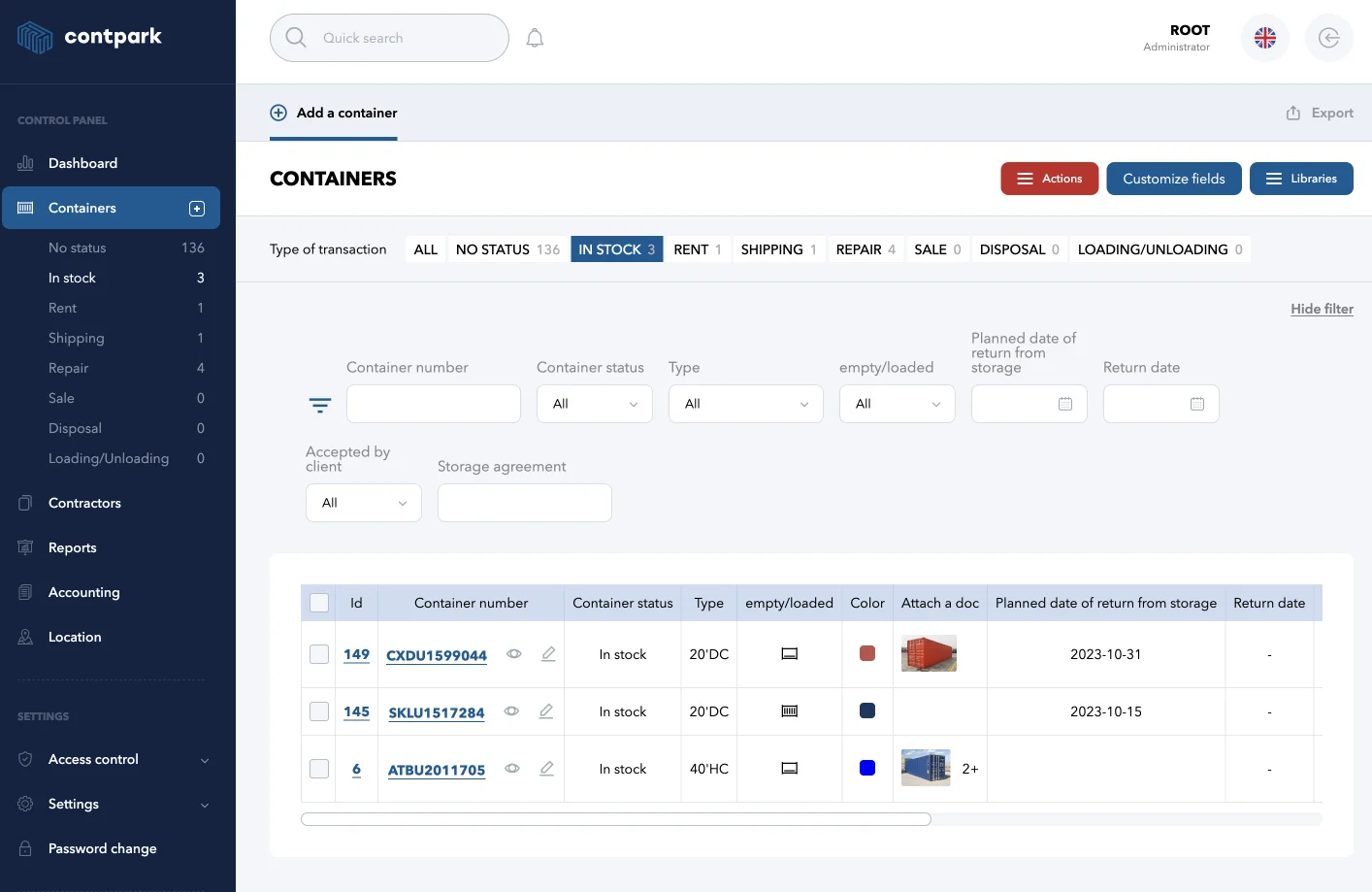
Container inventory — full fleet overview
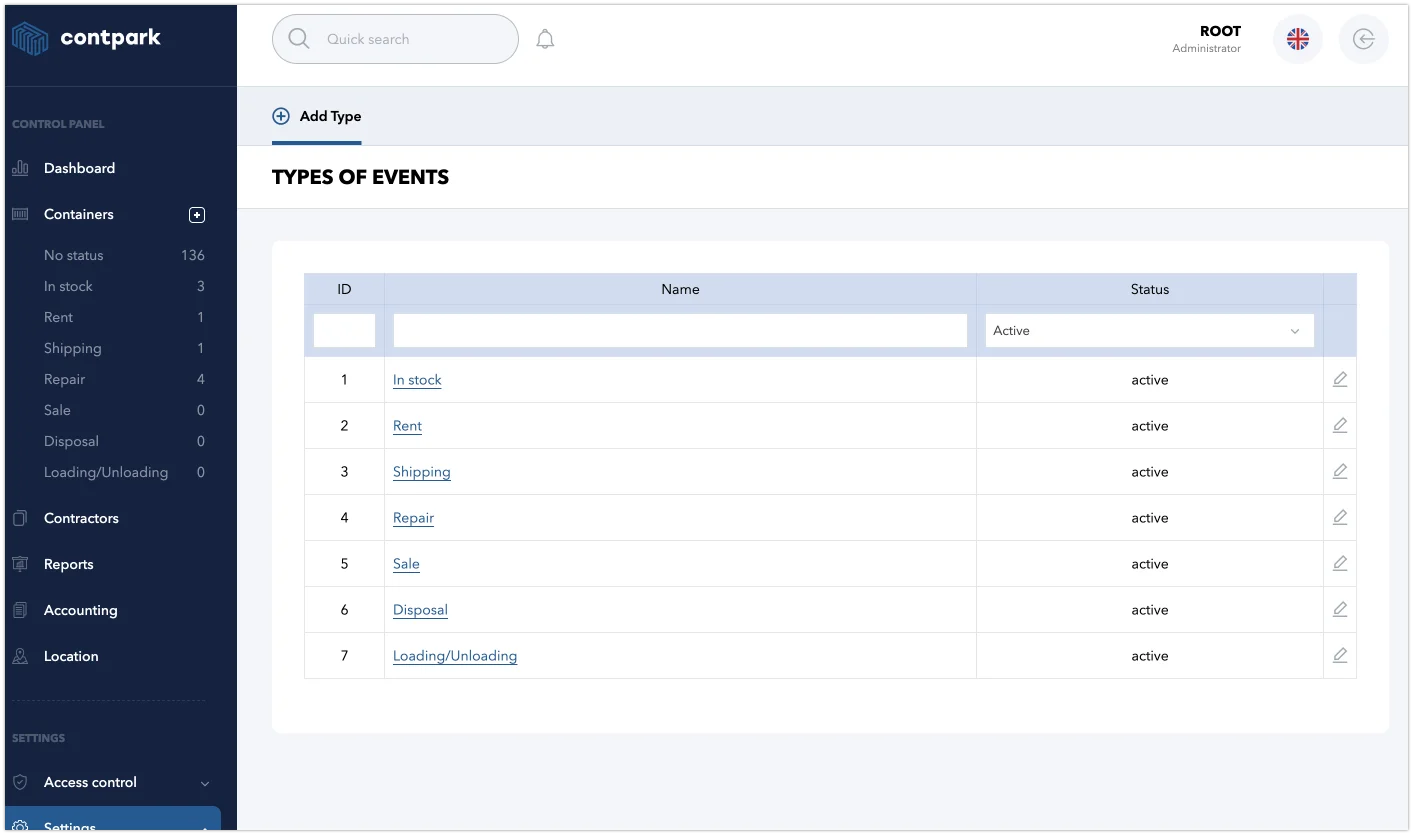
References for container types and sizes
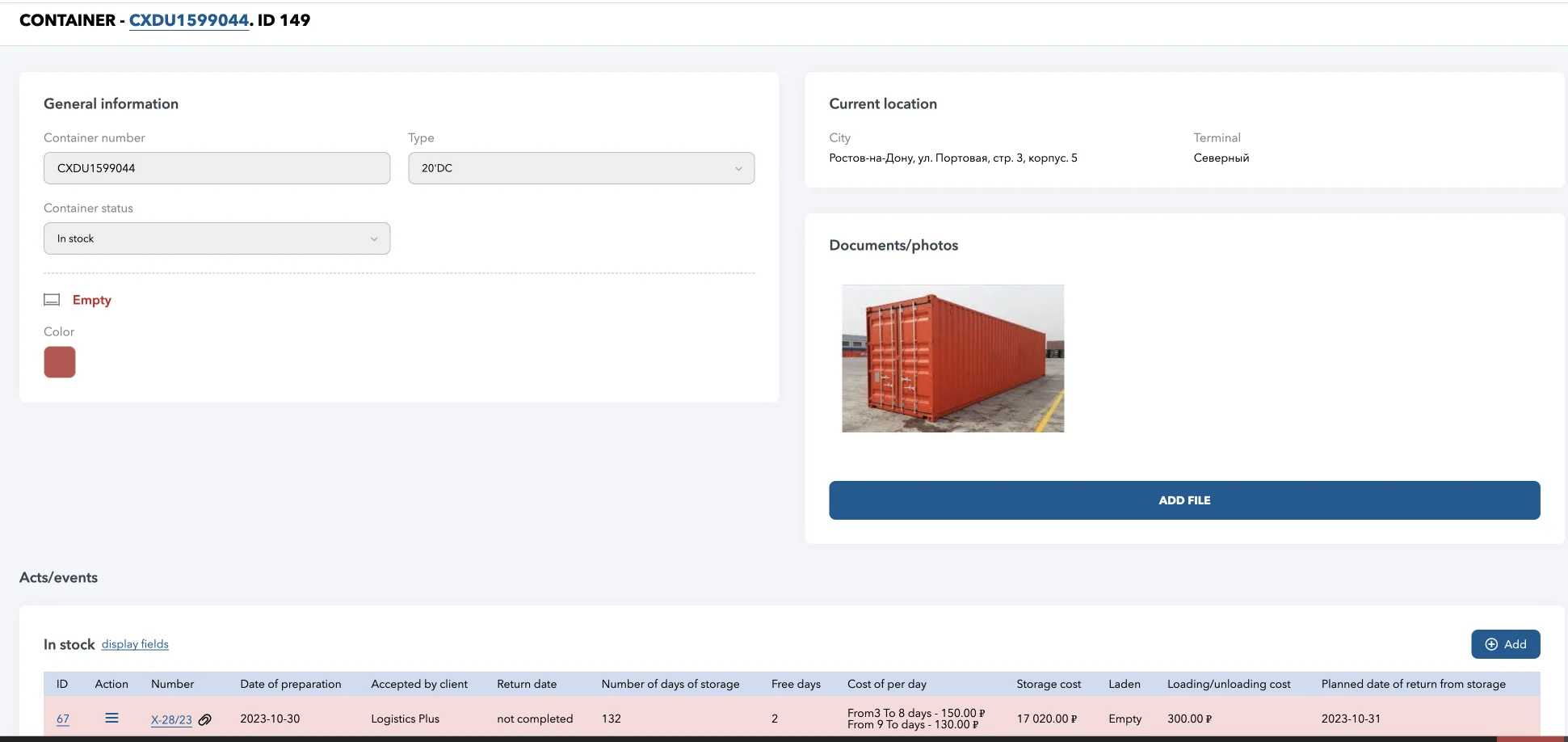
Container descriptions with history of all operations
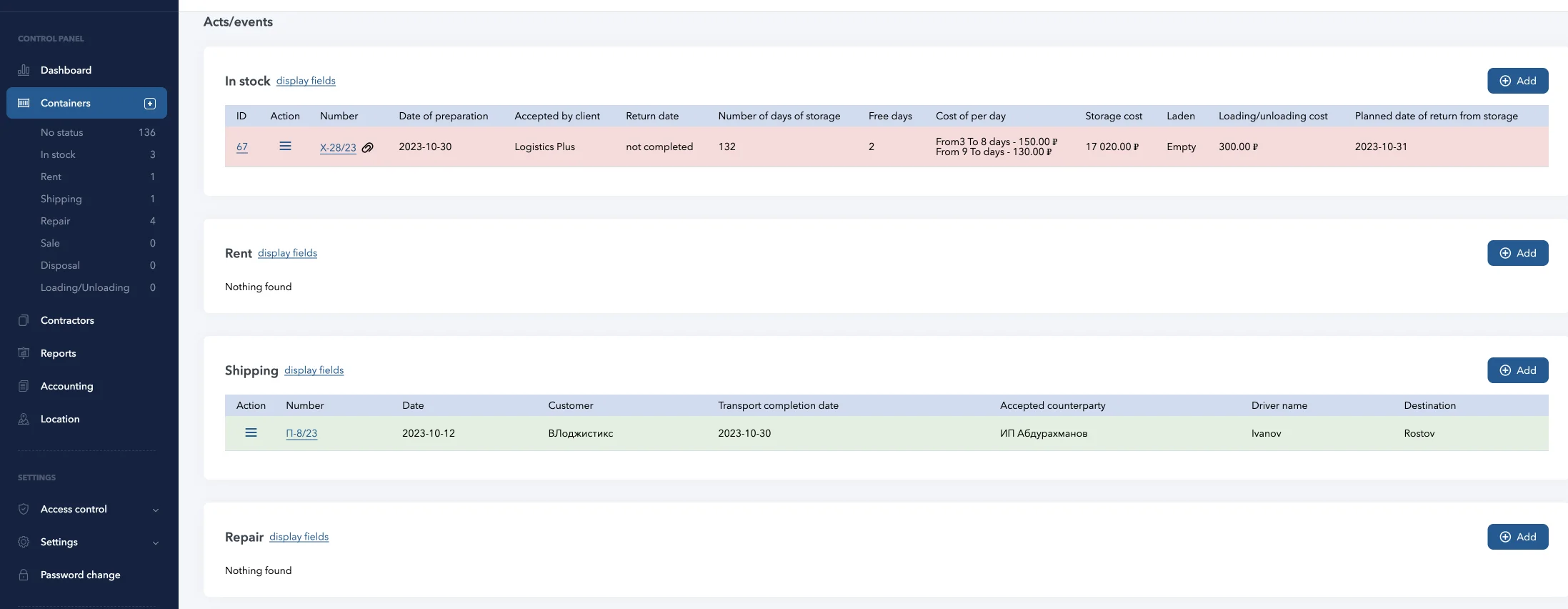
Creating new events and closing completed events
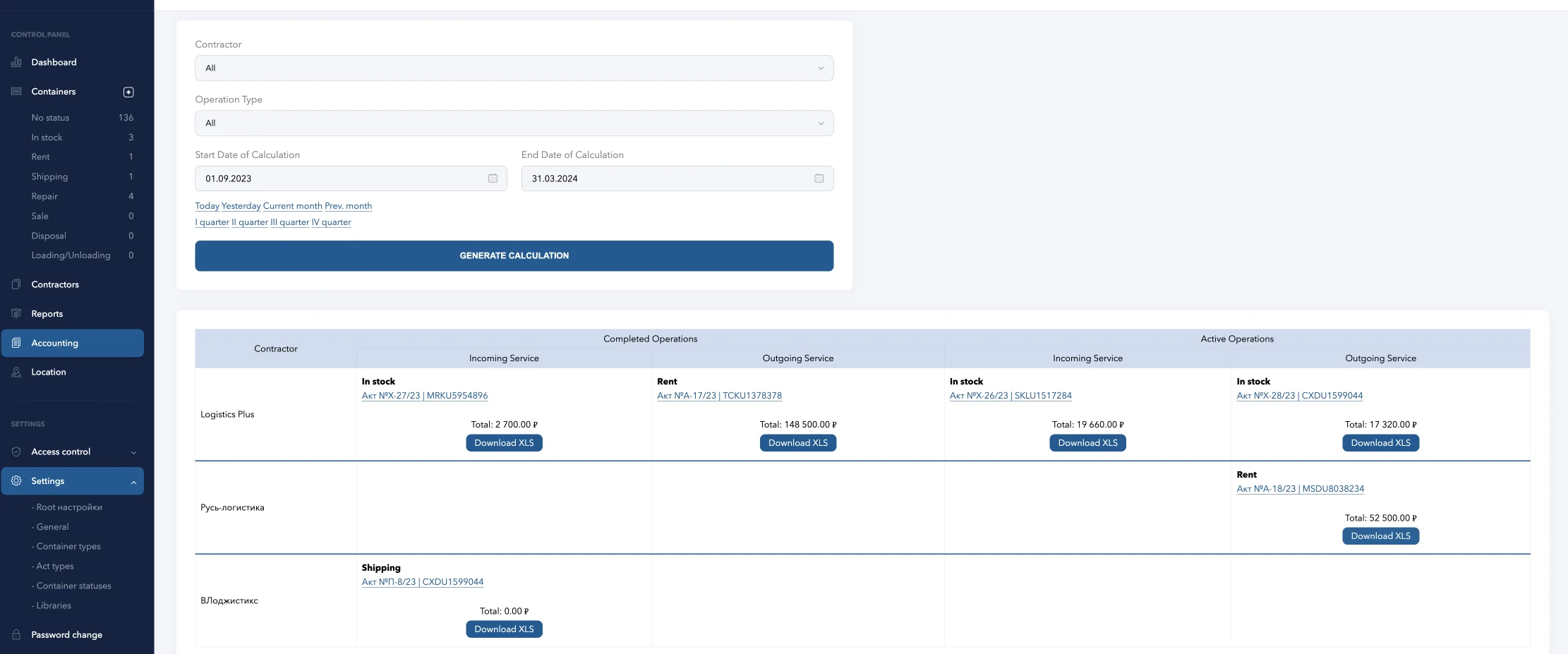
Accounting and costing at set rates
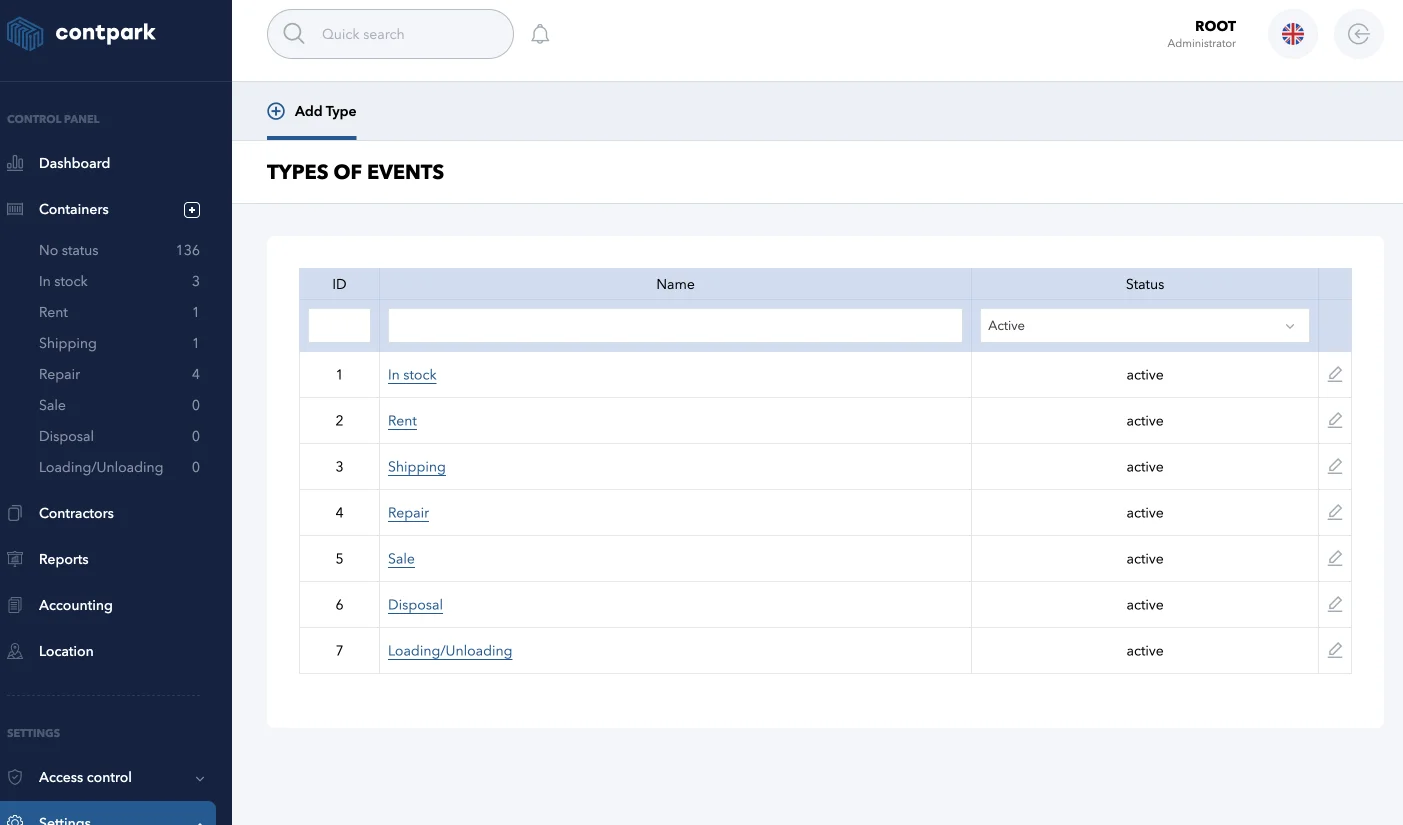
Operation type directory
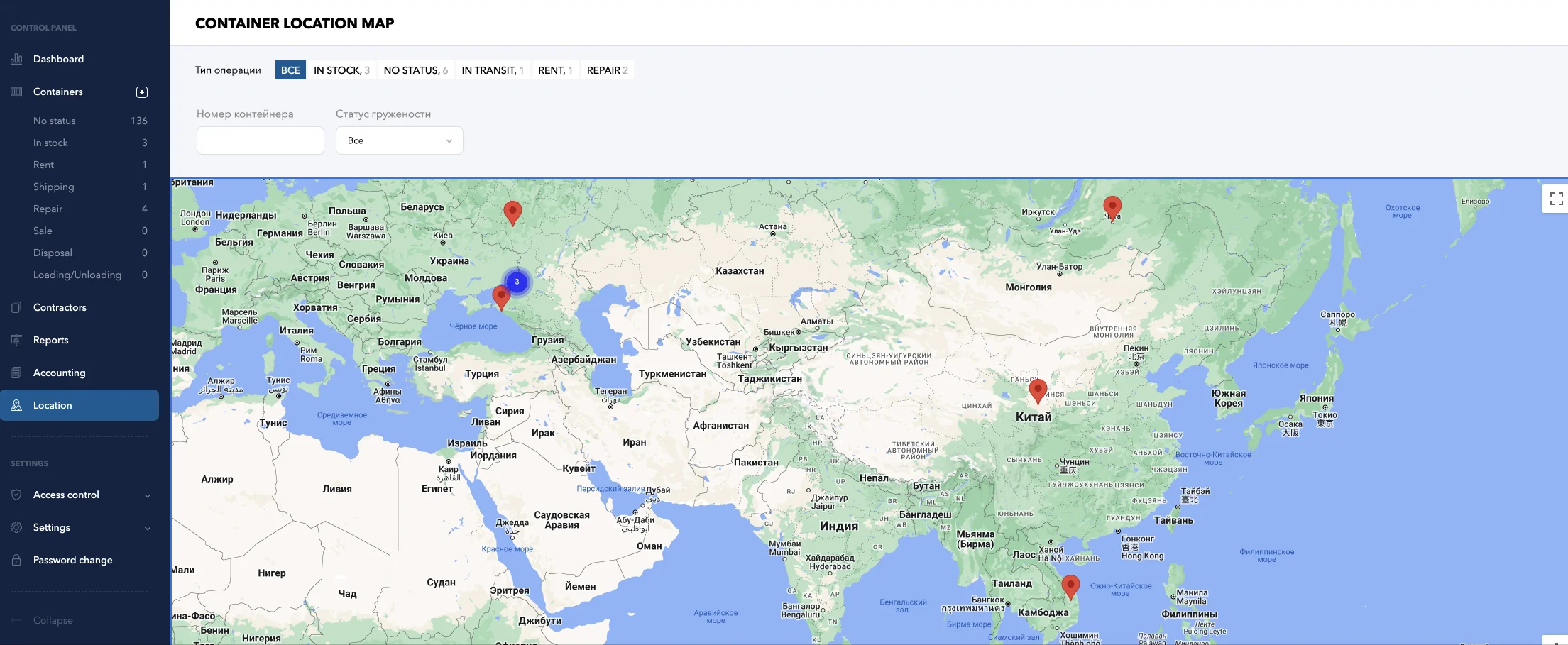
Geopositioning map
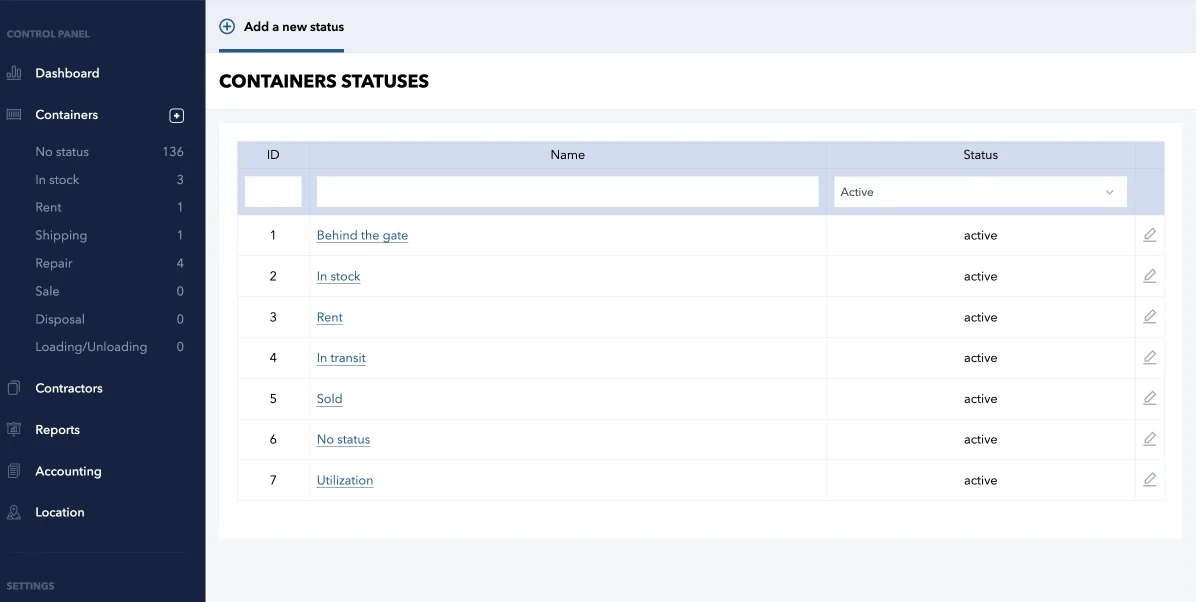
Container Status Directory
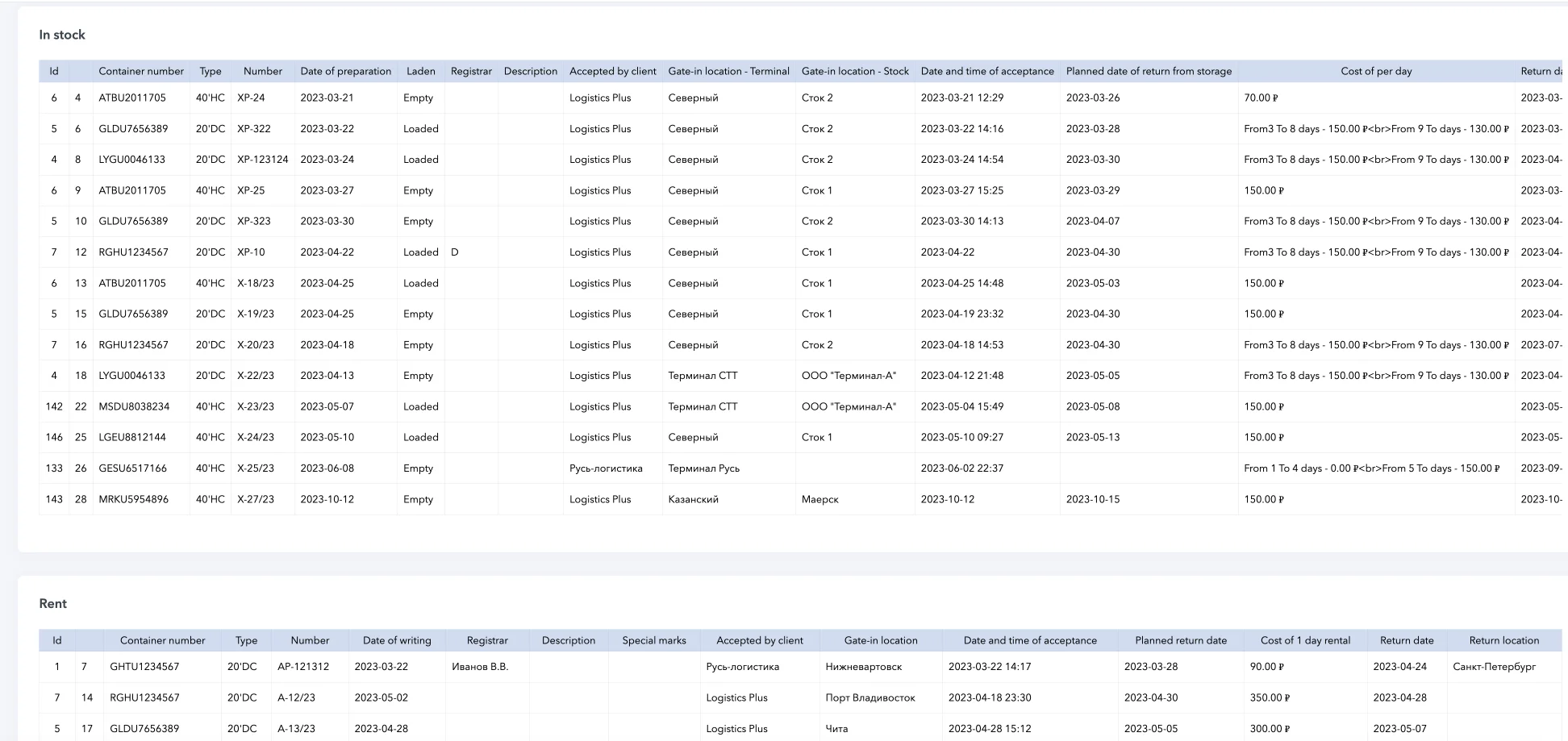
Detailed reporting on each container and event with uploading to DOC, PDF, XLS
LogPark — Container Management Software Features
- Full registry: empty/loaded, tanks, reefers, trailers, flatracks
- 20′ and 40′ containers with TEU auto-calculation
- 9 session types for complete lifecycle coverage
- Complete operation history per container
- Container transfer tracking between terminals
- Transport guide generation and bills of lading
- Origin-destination route recording per session
- Automatic status transition on dispatch/arrival

- Automated container rental billing with configurable tariffs
- Multi-dimensional pricing: type × laden × size
- Free-day thresholds and grace period calculation
- Invoice generation with settlement tracking
- Real-time container tracking on interactive map
- Terminal → Stock hierarchical location model
- Movement history and geo-positioning
- Multi-site depot availability management

- Fleet reports by status, type, contractor, dates
- Export to Excel (XLSX), PDF, and DOC
- Custom column selection and multi-field sorting
- Financial reports: invoices, payments, balances

- Real-time dashboard: 10+ metric cards (20’/40′)
- Highcharts graphs for 90-day trend analysis
- TEU auto-calculation across entire fleet
- Automated billing reduces operational costs

- Roles: Admin, Manager, Staff, Client, Accountant
- Granular permissions per module (CRUD)
- Customer personal accounts with scoped visibility
- Complete audit trail — every change logged
- Repair management with parallel session support
- Defect descriptions, cost tracking, reports
- Leased container monitoring: return dates, alerts
- Storage accounting across depot sites and cells

- Browser-based SaaS — works on any device
- 6 languages: EN, DE, ES, ZH, TR, RU
- Dynamic custom fields — extend without code
- Contractor management with terminals and contracts
Why LogPark for Container Inventory Management?
Built for Container Leasing and Rental Operations
Unlike generic ERP or warehouse systems, LogPark is purpose-built for the container logistics industry. The container rental software handles the full rental lifecycle — from rate negotiation to final invoice generation.
Container rental billing systems are integrated into every session type. Storage fees, transport charges, and repair costs are automatically tracked against the correct contractor and contract.
What This Means for Fleet Operators
- No more spreadsheet reconciliation — every charge is calculated automatically
- Real-time financial reports across all locations
- Free-day management with configurable grace periods
- Container rental optimization tools reduce revenue leakage
Container Asset Management and Depot Operations
For container depot management, LogPark offers a complete operational backbone. The Contractor module manages your full partner ecosystem — customers, shipping lines, transport companies — with linked terminals and service contracts.
The container handling software tracks gate-in/gate-out with detailed condition recording. Parallel repair sessions ensure M&R work doesn’t block other operations on the same unit.
Automatic Status Transitions
Every container status transition is automatic:
- Storage session opens → container moves to “In Storage”
- Storage closes + Rent begins → shifts to “In Rent”
- Repair session opens → “Under Repair” flag without blocking other sessions
- No manual updates needed — human error is eliminated
This container depot software approach keeps your inventory database accurate at all times.
Frequently Asked Questions — Container Inventory Management
Container inventory management software is a specialized platform that tracks every shipping container in your fleet — its location, status, rental agreements, repair history, and financial transactions. LogPark provides this through 9 built-in session types covering the full container lifecycle from gate-in to disposal.
LogPark automates rental billing through contract-linked tariffs. When a rental session is created, the system applies the correct rates based on container size, laden/empty status, service direction, and free-day thresholds. Invoices are generated automatically with full settlement tracking.
Yes. LogPark uses a hierarchical location model — Contractor → Terminal → Stock — that maps every container to its current position. The integrated map module provides real-time visibility across all your depot sites and transit routes.
LogPark supports all standard container types: 20′ and 40′ dry containers, high-cube, reefers (refrigerated), tank containers, flatracks, open-top, trailers, and vehicles. The reference module lets you define custom types and sizes as needed.
Yes. LogPark supports 6 languages out of the box: English, German, Spanish, Chinese, Turkish, and Russian. The interface switches per user, making it suitable for multinational logistics teams.
The repair (M&R) module allows parallel repair sessions — a container can be under repair while simultaneously in storage. Each repair session tracks defect descriptions, cost estimates, and completion status. This prevents repair work from blocking other operations on the same unit.
Yes. The Dynamic Field System lets administrators create unlimited custom data fields per session type — without any code changes. You can add fields for regional requirements, specialized container attributes, or unique business processes.
LogPark Integration Case Study:
| Industry | Container leasing & logistics company |
| Fleet Size | ~3,500 TEU (20′ and 40′ containers) |
| Container Types | Dry, refrigerated, tank, open-top |
| Operations | Storage, rental, repair (M&R), transfers |
| Locations | Multi-site depot operations |
Before & After LogPark Implementation:
| Before | After LogPark | |
|---|---|---|
| Software | Excel spreadsheets, paper documents | Cloud-based SaaS — accessible from any device, anywhere |
| Container Tracking | Manual records, phone calls to check availability | Real-time fleet overview with status, location, and complete operation history per container |
| Billing | Manual calculation of storage days — took 1-3 days per invoice | Automated billing at configured tariff rates with free-day calculation and Excel export |
| Reporting | Manual creation in Excel, daily email reports | Automatic report generation per site with PDF, Excel, and DOC export |
| Customer Access | Email and phone only | Personal accounts with scoped visibility, integrated messenger, electronic gate requests |
| Repair Tracking | Separate logs, no connection to container records | Parallel M&R sessions linked to containers with cost tracking and defect logging |
|
Elementary
|
Base
|
Advanced
|
|
|---|---|---|---|
| Tariffs | |||
| Container record at the site. Empty, loaded, refrigerated. | |||
| Electronic requests for gate-in/gate-out through the customer’s personal account. | |||
| Description of tank defects in gate-in/gate-out certificate. | |||
| Adding scans while gate-in/gate-out specific container. | |||
| History of changes/editing of information about containers. | |||
| EDI data exchange with global tank lines (Maersk, CMA-CGM, etc.) About receiving, dispatching containers, repair status. | |||
| Your database import (Excel, XML, CSV) | |||
| ERP integration | |||
| Trial period |  |
|
|
| Server space | 10 Gb | 30 Gb | 50 Gb |