

Interface
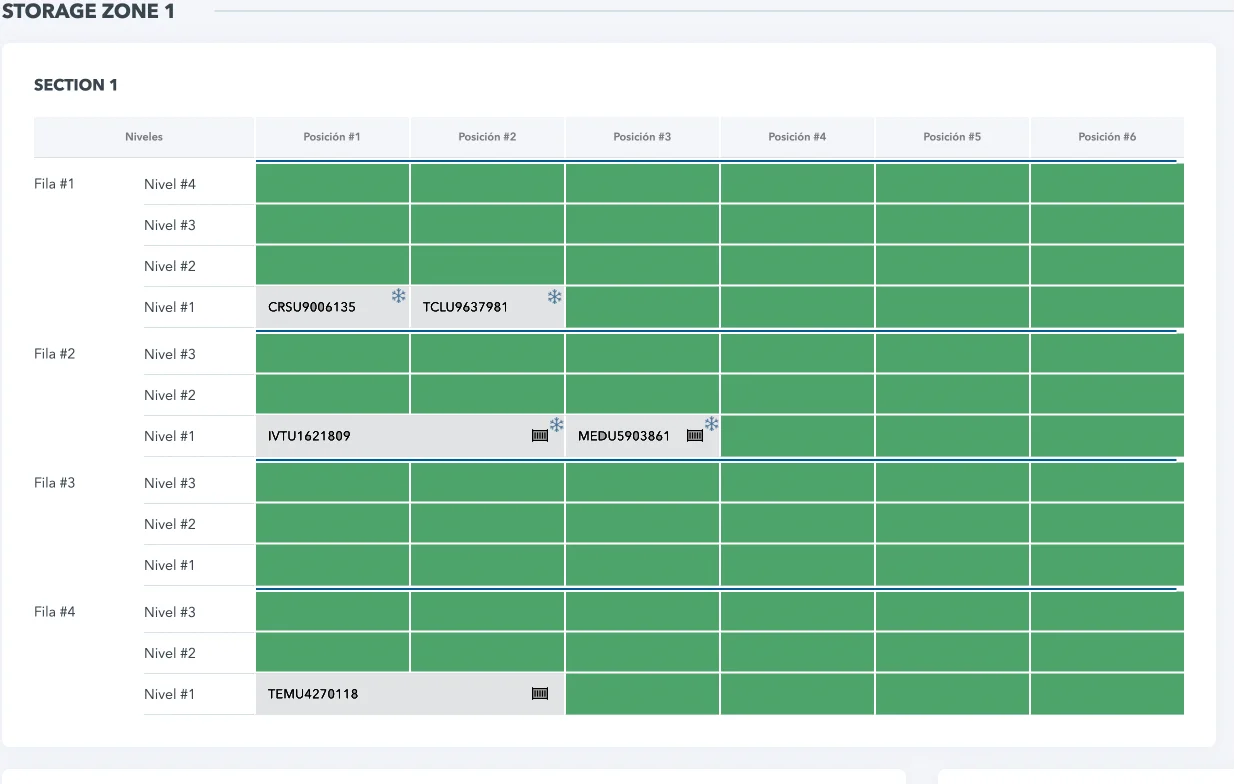
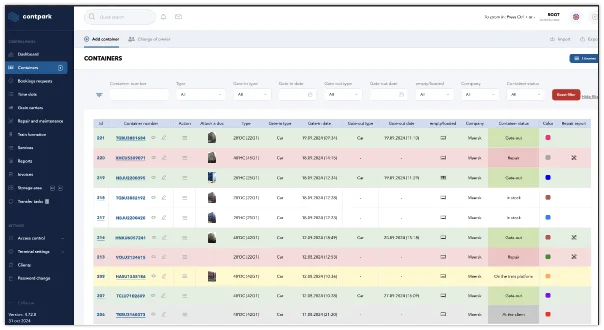 Detailed overview of container statuses and actions for efficient tracking and management.
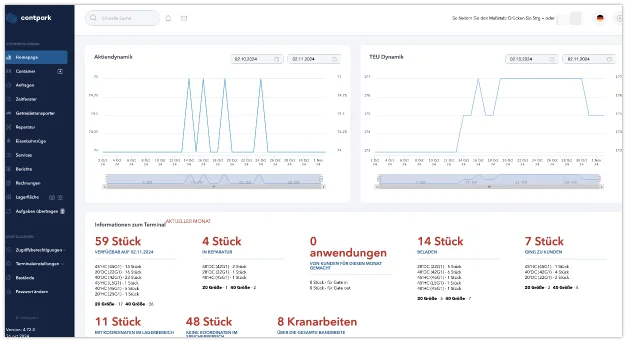 Visual display of key metrics, container activity, and TEU trends, offering real-time insights into terminal performance and efficiency.
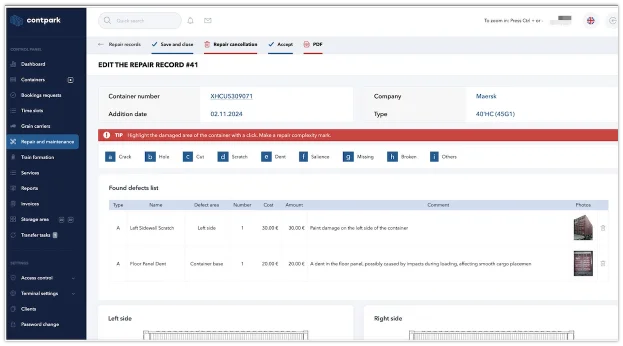 Detailed defect list with costs and photos. Clients can accept or refuse repairs in their personal account.
Key features

Gate-in / Out
- Automated identification of arriving and departing reefers
- Integration with gate management systems
- Recognition of container numbers for tracking and processing

Yard Management
- Address-based storage of containers in the yard
- Formation of dedicated zones for specific cargo types
- Tracking container locations and movements across the terminal

Real-time Temperature Tracking
- Continuous monitoring of temperature data received from connected reefer controllers
- Instant alerts on temperature deviations and missing telemetry
- Historical temperature visibility for operations and customer service

Automated Alerts
- Notifications for temperature deviations
- Power failure and communication warnings when available from connected controllers
- Customizable alert settings via mobile & desktop

System Synchronization
- Integration with third-party reefer controllers
- Data collection via API and other common synchronization technologies
- Optional synchronization with TOS, ERP, and external systems

Third-Party Controller Integration
- Connect to controllers from external manufacturers
- Receive temperature, status, alarm, and diagnostic data from connected units
- Centralize reefer data in a cloud-based interface for operators and customers

Reporting & Analytics
- Generate detailed temperature and event reports
- Track reefer performance over time using synchronized controller data
- Automatically send reports via email and EDI to clients

Optimization
- Recording and analyzing reefer parameters from connected controllers
- Monitoring energy consumption when the integration source provides that data
- Supporting compliance workflows with centralized temperature history
All OS Support
- Compatible with Windows, Linux, and macOS
- Mobile support for Android and iOS
- Cloud-based access from any device
Introductory Case Information
The Reefer Monitoring System helps terminals replace manual checks and fragmented controller portals with one operational view built on data from third-party reefer controllers. This solution software centralizes temperature history, alarms, and performance data, so teams can react faster, improve reporting, and reduce operational blind spots without deploying their own controller hardware.
Reefer Monitoring System – Before & After Centralized Monitoring
| Before Implementation | After Implementation |
|---|---|
| Manual temperature checks leading to delays and human errors | Centralized monitoring fed by connected third-party controllers |
| No unified reefer data source | One interface for controller data, alarms, and temperature history |
| High energy consumption without visibility | Energy usage tracking where controller data is available |
| Limited visibility on reefer performance and conditions | Analytics based on synchronized controller data |
| Reactive response after cargo risk appears | Faster alerts on temperature, power, and communication events |
| No integration with other logistics or ERP systems | Synchronization with controllers, TOS, ERP, and EDI via API and common data-exchange technologies |
| Time-consuming manual reporting | Automated reports in DOC/XLS/PDF formats |
Reefer Monitoring System – Capability Comparison
| Basic | Standard | Premium | |
|---|---|---|---|
| Core Features | |||
| Container inventory tracking (empty, loaded, reefer) | ✔ | ✔ | ✔ |
| Third-party controller integration | ✔ (1 source) | ✔ (Multiple sources) | ✔ (Advanced multi-source) |
| Temperature monitoring from connected controllers | ✖ | ✔ | ✔ |
| Automated alerts for temperature deviations | ✖ | ✔ | ✔ |
| API integration (TOS, ERP, EDI) | ✖ | ✔ (Basic API) | ✔ (Full API & EDI) |
| Historical reporting and exports | ✔ | ✔ | ✔ |
| Additional Features | |||
| Trial period | ✔ (7 days) | ✔ (14 days) | ✔ (30 days) |